Modular UPS vs. Traditional UPS: Which Is Better for Large Data Centers?
As data centers expand, their power protection systems must support growing workloads, maintain power quality, and provide reliable backup during electrical disturbances. Choosing the right uninterruptible power supply (UPS) architecture is therefore an important part of data center infrastructure planning.
Two common approaches are modular UPS systems and traditional UPS systems. Both can protect critical equipment from power interruptions, but they differ in system architecture, capacity expansion, maintenance considerations, and redundancy planning.
Understanding these differences helps data center operators and procurement teams evaluate which solution better fits their current requirements and future growth plans.
What Is a Modular UPS?
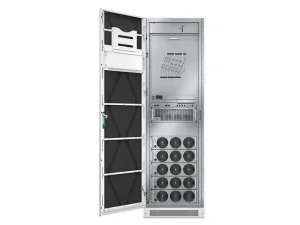
A modular UPS uses multiple power modules within a coordinated system. Instead of relying entirely on one fixed-capacity power unit, the system combines individual modules to provide the required power capacity.
This architecture can make capacity planning more flexible. Operators may be able to add compatible modules as demand increases, depending on the system design and its available capacity.
A modular UPS can also support redundancy planning. If the system has sufficient spare capacity and is designed for redundant operation, it may continue supplying the critical load when a module becomes unavailable.
What Is a Traditional UPS?
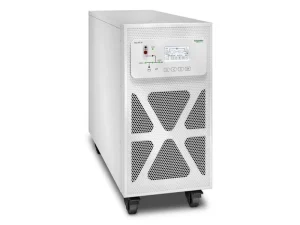
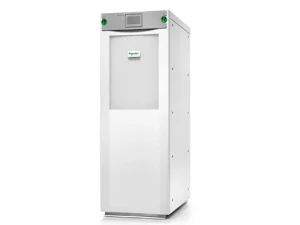
A traditional UPS generally uses a fixed-capacity power unit designed to support a specified load. Depending on the design, capacity expansion may require installing another UPS unit, replacing existing equipment, or configuring multiple systems to operate together.
Traditional UPS systems are available in different topologies, including online double-conversion designs. In an online UPS, incoming AC power is converted to DC and then back to AC, helping isolate the connected load from many input power disturbances.
This architecture is widely used for applications that require consistent power protection. However, the available redundancy, maintenance options, and expansion methods depend on the specific system configuration.
Traditional UPS equipment can be suitable for facilities with predictable power requirements and a clearly defined capacity plan.
Modular UPS vs. Traditional UPS: Key Differences
Although both architectures provide backup power and power conditioning, their practical differences matter when planning large UPS installations.
| Comparison Factor | Modular UPS | Traditional UPS |
| System architecture | Uses multiple coordinated power modules | Generally uses a fixed-capacity power unit |
| Capacity expansion | May allow additional modules to be installed | May require another unit, equipment replacement, or system-level expansion |
| Redundancy | Can be designed with spare modules | Can use redundant units or other supported configurations |
| Maintenance | Module-level servicing may simplify certain maintenance tasks | Maintenance procedures depend on the unit and system design |
| Space planning | Depends on module density and cabinet layout | Depends on unit capacity, cabinet dimensions, and installation requirements |
| Initial investment | Depends on the selected configuration and expansion plan | Depends on equipment size, redundancy, and installation scope |
| Best-fit scenario | Useful when flexible capacity planning is a priority | Useful when capacity requirements are established and a suitable fixed-capacity design is available |
Neither architecture is automatically better in every situation. A modular design may simplify some expansion tasks, while a traditional system may meet a facility’s requirements without the need for modular capacity planning.
The right comparison should focus on the total system configuration rather than architecture alone.
Which UPS Architecture Is Better for Large Data Centers?
Choosing between a modular UPS and a traditional UPS depends on how a data center manages capacity growth, power availability, operating costs, and maintenance. The following factors help determine which architecture is more suitable for a specific facility.
1. Capacity Planning and Expansion
Start by calculating the critical load the UPS must support, including servers, networking equipment, and storage systems. Allow for planned capacity growth and the additional capacity required by the selected redundancy design.
A modular UPS may suit data centers that expand in stages, as compatible power modules can potentially be added when demand increases. A traditional UPS may be more practical when the required capacity is well established and unlikely to change significantly.
2. Redundancy and Power Availability
Redundancy determines whether the UPS can continue supporting critical loads when a component or unit becomes unavailable. In an N+1 configuration, the system includes one additional capacity unit beyond the number required to support the design load.
Modular systems can use spare power modules for redundancy, while traditional systems may rely on multiple UPS units. In either case, verify that the remaining capacity can support the critical load during a failure or planned maintenance.
3. Energy Efficiency and Operating Costs
UPS conversion losses affect electricity consumption and the heat generated within the facility. Compare efficiency at the expected load level and in the intended operating mode rather than relying solely on the highest published efficiency figure.
Total operating costs should also account for cooling, battery replacement, maintenance, and the initial equipment investment. These factors provide a more useful basis for comparison than efficiency alone.
4. Maintenance and Serviceability
Consider how technicians will maintain the UPS without disrupting critical operations. A modular design may allow individual power modules to be serviced or replaced, depending on the system configuration and manufacturer’s procedures.
For traditional UPS systems, maintenance may require servicing the complete unit or transferring the load to a redundant system. Confirm the maintenance procedure, bypass arrangements, and available backup capacity before selecting either architecture.
5. Installation and Electrical Requirements
Check the available installation space, cabinet dimensions, input and output voltage, and battery requirements. Large UPS installations must also fit the facility’s electrical distribution design and provide sufficient access for maintenance.
These requirements should be confirmed against the selected system’s technical documentation. A UPS that meets the capacity target may still be unsuitable if its electrical configuration or physical layout does not fit the site.
Introducing the Schneider Galaxy VX UPS
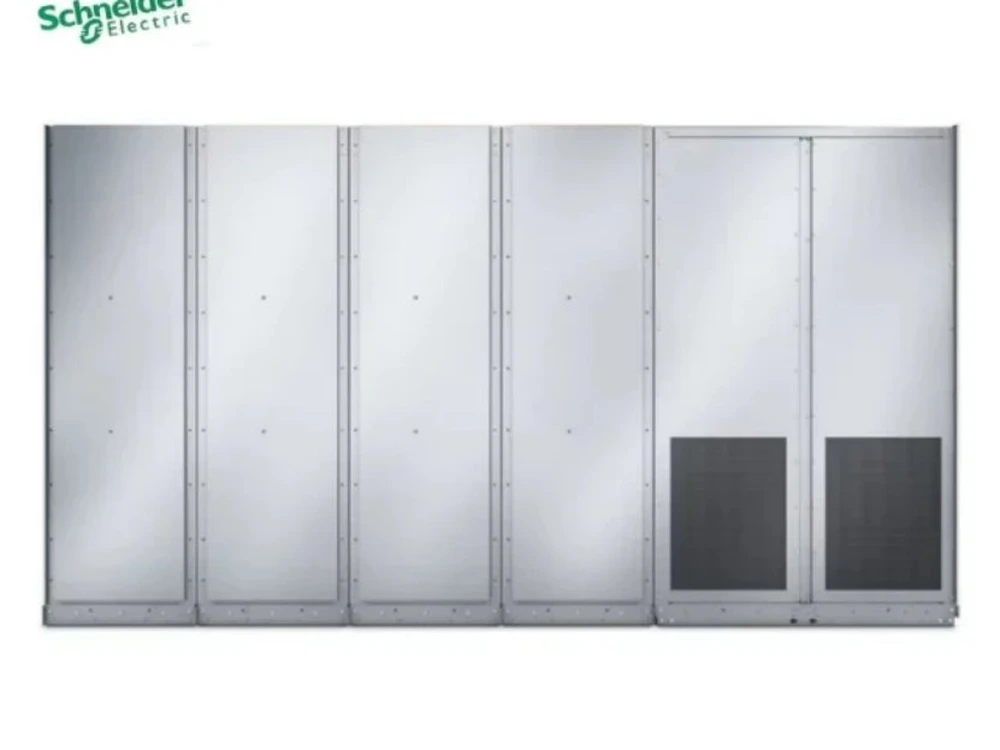
For facilities evaluating high-capacity UPS systems, the Schneider Galaxy VX UPS is one option to consider. The 250 kW power cabinet architecture supports system capacities of 1000 kW, 1250 kW, and 1500 kW.
The series supports online double-conversion and ECOnversion™ operating modes. Efficiency reaches up to 97% in online mode and up to 99% in ECOnversion™ mode.
It delivers a unity output power factor of 1.0 and supports nominal input and output voltages of 380 V, 400 V, 415 V, 440 V, and 480 V. N+1 and N+X redundancy configurations are available, with parallel operation supporting total system capacity up to 4000 kW.
Battery compatibility includes lithium-ion, VRLA, and nickel-cadmium (Ni-Cd) batteries, providing different options for backup power planning.
For data center operators comparing large UPS installations, these specifications provide a starting point for evaluating capacity, efficiency, redundancy, and electrical compatibility.
Conclusion
Choosing between a modular UPS and a traditional UPS depends on capacity planning, redundancy, efficiency, maintenance, and installation requirements. Modular architecture can offer greater flexibility when demand grows in stages, while a traditional fixed-capacity design may suit facilities with established power requirements.
For large data centers, the most suitable solution is the one that supports the required critical load while meeting the facility’s availability and operating objectives. Compare system-level performance, verify technical specifications, and plan for future demand before making a purchasing decision.
Explore Schneider Galaxy VX UPS solutions to find a power protection system suited to your data center’s capacity and reliability requirements. Contact our team to discuss your project needs and system configuration.
Frequently Asked Questions
1. What Is the Main Difference Between a Modular UPS and a Traditional UPS?
A modular UPS uses multiple power modules that may allow flexible capacity expansion, while a traditional UPS generally uses a fixed-capacity power unit. Expansion and maintenance options depend on the system design.
2. Is a Modular UPS Better for Large Data Centers?
A modular UPS may be suitable for data centers with phased expansion plans. However, the best choice depends on critical load requirements, redundancy, operating costs, and installation conditions.
3. What Should You Consider When Choosing a Data Center UPS?
Consider the required power capacity, redundancy configuration, efficiency at the expected load, battery compatibility, maintenance requirements, and available installation space.